

 Access all premium SVG files for one fee and save big!
When life gets blurry, adjust your focus – free svg file for members
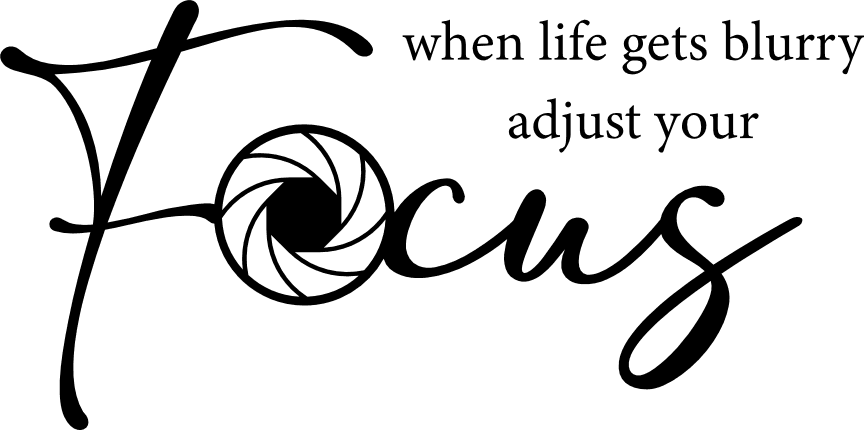















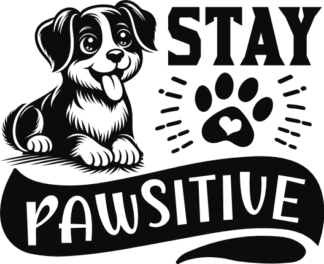



This "When Life Gets Blurry" SVG file is a digital design provided as an instant download. No physical product will be shipped.
It’s made to spark new ideas and boost your creativity, whether you design for pleasure or for profit.
What’s Included
- SVG File: Versatile vector graphic format allowing unlimited resizing and editing, perfect for engraving, cutting machines, crafting, logos, and web graphics.
- PNG File: High quality raster image provided in your desired size at crisp 300 DPI resolution with transparent background. Excellent for printing, sublimation, print and cut projects, and online use. Convert your SVG file into additional PNG sizes anytime using our free SVG to PNG converter.
- If you need different file formats, our SVG files can be easily converted using online tools such as Cloudconvert.com, which is user friendly and supports popular formats including EPS, JPEG, PDF, DXF, and many others. Feel free to reach out if you need help with conversion.
Note: SVGs vary in style and complexity. Many are optimized for smooth cutting, while more detailed designs are ideal for sublimation, print and cut, laser cutting or engraving. Some SVGs can be used across different types of projects, depending on your machine and materials. Please review the design carefully and decide whether it suits your specific project. If you’re unsure, feel free to reach out.
Compatibility:
Machine software:
Works seamlessly with machine apps for printing, cutting and engraving. Use it with:
Silhouette Studio (Designer Edition or above), Cricut Design Space, Brother ScanNCut CanvasWorkspace, LightBurn, Glowforge App, xTool Creative Space, Sure Cuts A Lot (SCAL), and Make The Cut (MTC).
Design software:
Edit, resize, and prepare the SVG in:
Adobe Illustrator, CorelDRAW, Inkscape, Affinity Designer, and other SVG editors.
How To Edit This "When Life Gets Blurry" SVG File
To edit the file it is necessary to use an SVG editor such as Silhouette Studio (Designer Edition or Above), CorelDRAW, Adobe Illustrator, Cricut Design Space, Inkscape, or online editors. For added convenience, our free online SVG editor and mockup generator lets you adjust colors, add or delete objects, type in your own words, and more. The design can then be previewed on mockups like tote bags, hoodies, t-shirts, cups, and other products.
Satisfaction or Money Back
Your confidence in our products means everything. Although digital files can’t be returned, if you experience a technical issue, we’ll issue a complete refund. We stand by every design we offer.
Discover More Similar SVGs
Looking for more similar SVGs? Explore our Positive - Motivational Sayings collection, where you’ll find many similar designs. This collection currently features 298 SVGs, and continues to grow as we regularly add fresh creations, ensuring you always have plenty of inspiring options to choose from.
Listed on February 15, 2023.Premium SVGs come with a commercial usage license.
You are allowed to:- Create Unlimited Physical End Products.
- Create Unlimited Digital End Products*.
- Sell the designs as is on Print-on-Demand (POD) sites.
- * Please read the right way to use the products in full license.
You are not allowed to:
- Resell, sub-license, share or (re)distribute any of the digital files.
- Install or embed on 3rd party platforms/servers.
- Convert designs to other formats and sell those as new designs.
Add a review
 When life gets blurry, adjust your focus - free svg file for members
Your review
* Review is required
Name
* Name is required
Email
* Email is required
Add photos or video to your review
Reviews
There are no reviews yet